
CatalogDock for WordPress: free plugin or website?
Install and open
- In WordPress: Plugins → Add New, search for CatalogDock, or download the ZIP from wordpress.org/plugins/csvrepair-for-woocommerce. Install and activate.
- Open Products → CatalogDock (Tools → CatalogDock when WooCommerce is not active).
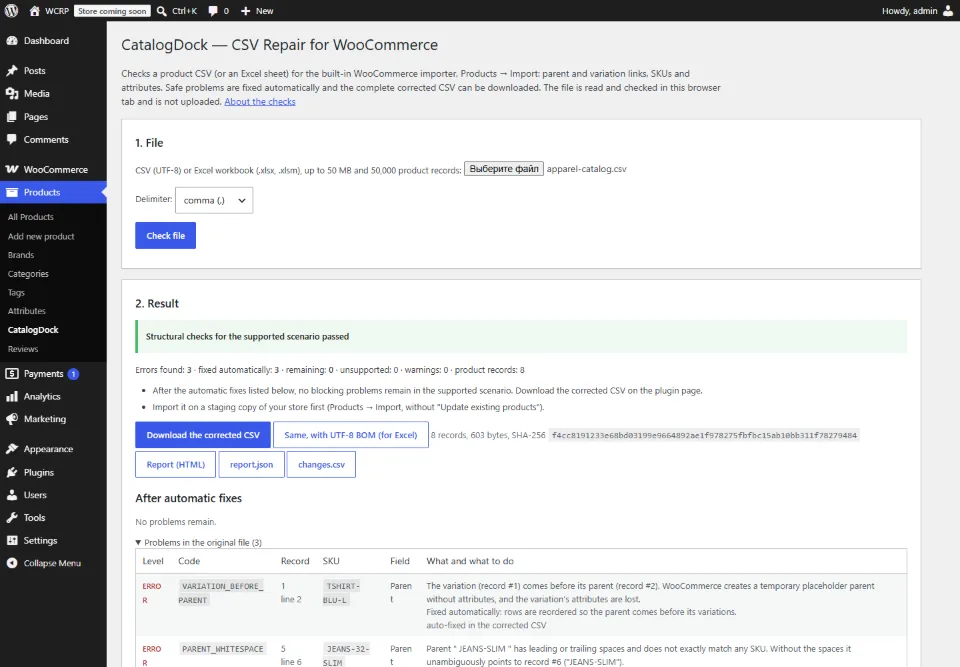
- Choose a CSV or Excel file and click “Check file”. The store comparison and picture upload run only when you click their buttons.
Who can use it: the page needs the edit_products capability (administrators and shop managers). Reading the catalog also needs read_private_products; uploading pictures needs upload_files. The file is processed in your browser tab and is not uploaded; the plugin talks only to your own site’s REST API. It never creates or changes products, attributes or terms itself.
Plugin or website?
| Website (catalogdock.org) | WordPress plugin | |
|---|---|---|
| Where it runs | Any browser; no WordPress access needed | WP admin, Products → CatalogDock |
| Check a WooCommerce CSV, two safe fixes | Yes | Yes |
| Map a supplier price list (12 header languages), build parents, supplier profiles | Yes | No |
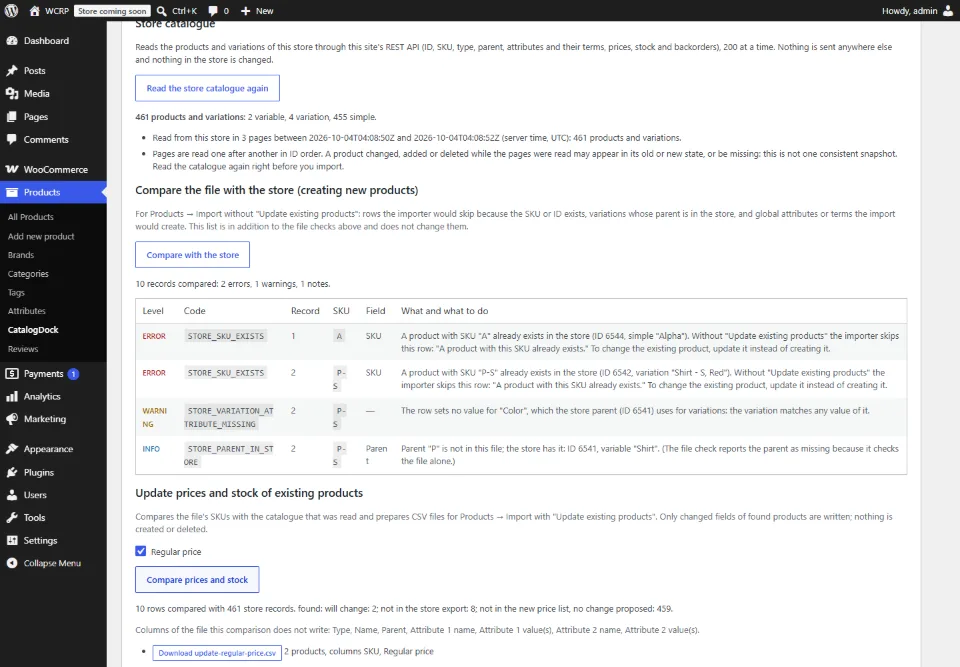
| Compare with the store | With a store export you supply | Reads the store catalog through the site’s REST API |
| Global attributes and terms of the store | Not visible to the website | Compared in supported scenarios (below) |
| Price and stock update files | Free up to 50 changed products; more with a Pass | Free |
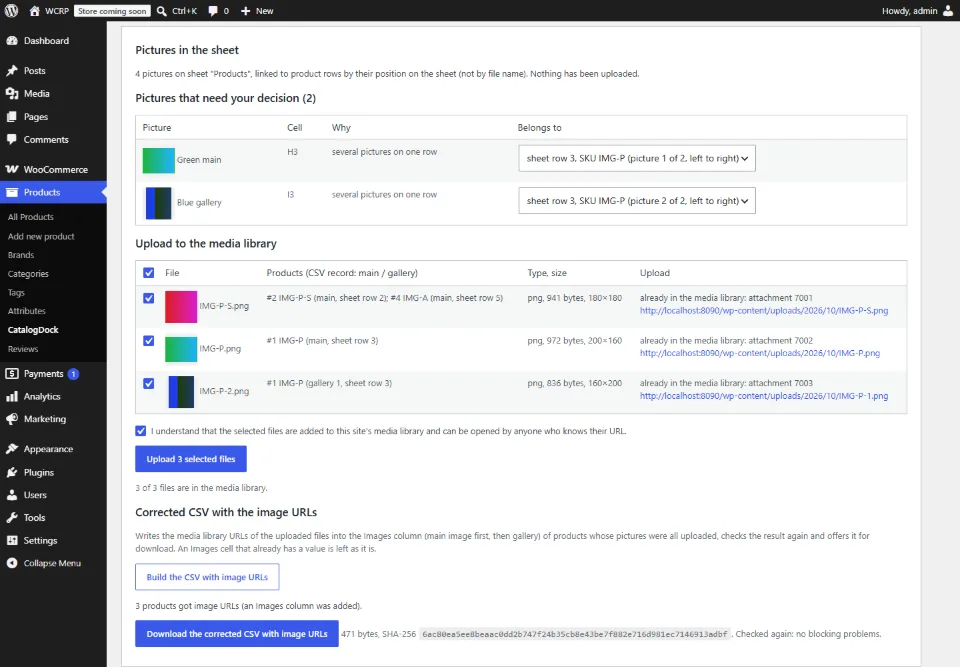
| Excel pictures | ZIP with manifest.csv | Upload chosen pictures to the Media Library |
| Import batches (ZIP of about 500 records) | Yes, with the full result | No |
| Full corrected CSV | Free when small (≤ 50 records) or unchanged; larger with a Pass | Free |
| File limits | 50,000 records, 50 MB | 50,000 records, 50 MB |
Global attributes: what the plugin can see
A file check cannot know which global attributes (pa_*) and terms exist in your store, so the website reports a global attribute as a scenario it cannot verify. After reading the catalog, the plugin adds a separate list for create-mode imports:
- global attributes and terms the importer would create because the store does not have them yet;
- variations whose parent is already in the store, checked against the attributes and values of that parent (missing attributes, values the parent does not use);
- rows the importer would skip because their SKU or ID already exists.
The file’s own findings stay as they are: the plugin does not lift a blocking issue, does not support every pa_* setup, and does not create attributes or terms. Test the import on a staging copy.
Screenshots of the released plugin
Get the free plugin
Install it from WordPress.org, or check a file on the website without installing anything.
Price and limits
Every feature of the plugin is free: no CatalogDock Pass, no license key. Full corrected CSV downloads are free within the supported file limits (50,000 records and 50 MB per file). The website’s Pass is only for large results of the website itself. Requirements of version 0.1.1: WordPress 6.6 or later, PHP 7.4 or later, WooCommerce 11.1 or later (tested with 11.1.2).
Help: documentation, the support forum of the plugin on WordPress.org, or support@catalogdock.org. On the website: supplier price lists and price and stock updates.